VibeVoice Reviews 2026
A practical review of VibeVoice AI text-to-speech, based on the browser workflow, published product information, and hands-on examples.
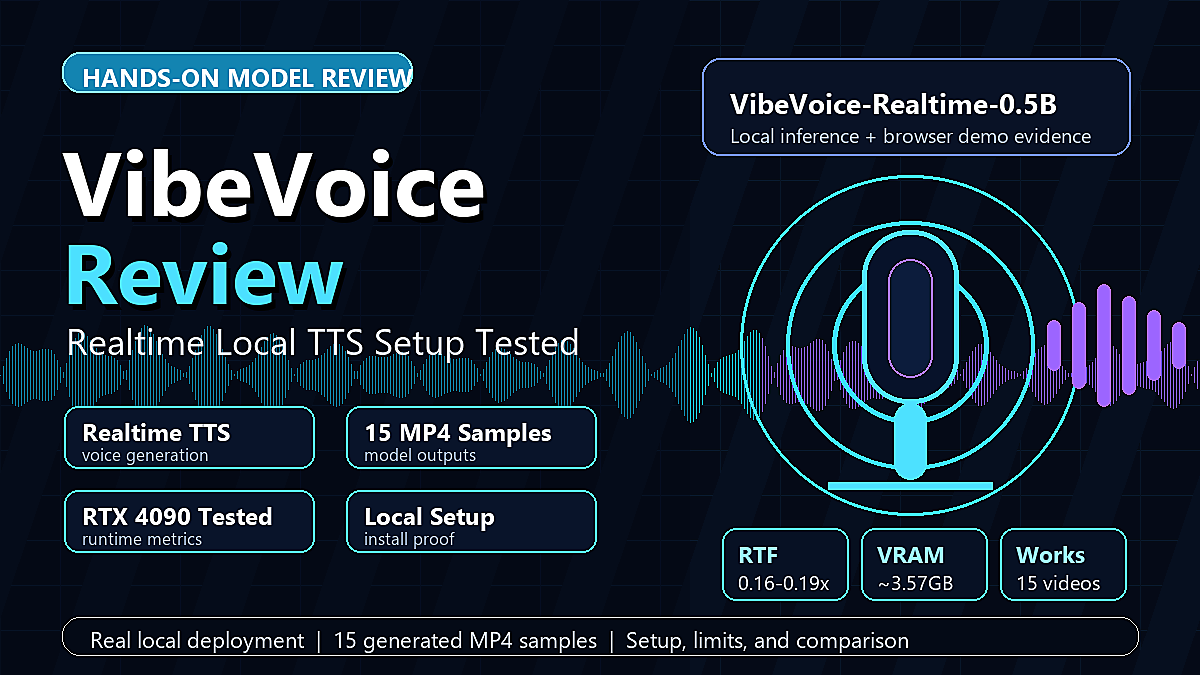
How We Tested VibeVoice
How this editorial review separates documented features from observations that still need a project-specific test.
Representative Scripts
The review focuses on common VibeVoice use cases: podcast dialogue, narration, training material, and character lines. Start with a short representative excerpt before committing a long script to a full generation.
Listening Checks
Listen for pronunciation, speaker identity, pauses, pacing, and transitions. These checks are editorial observations rather than a statistically representative listener survey, so results can vary by script and voice.
Context for Comparisons
When comparing VibeVoice with another TTS tool, keep the script, language, voice type, output format, and editing time as similar as possible. A single sample should not be treated as a universal benchmark.
Source Transparency
The linked Realtime review contains the clearest hands-on setup notes and limitations. Anonymous comments or unlinked social posts are not presented as verified customer research here.
Score Breakdown
How VibeVoice performs across the metrics that matter most to creators.
Pros & Cons
What reviewers consistently praised — and the honest drawbacks.
What Users Love
- Long-form generation for podcast, narration, and training drafts
- Up to 4 distinct speakers with natural turn-taking
- Context-aware delivery that can reduce manual tone markup
- Custom voice workflows for authorized reference audio
- Cross-lingual voice cloning (English voice speaks Chinese/Japanese)
- ICLR 2026 oral presentation — peer-reviewed research backbone
- Browser-based generation for short scripts and previews
Known Limitations
- English and Chinese are the clearest native-use cases; test other languages before production
- Credits required for generation (no unlimited free tier)
- Long scripts should be reviewed for pacing and pronunciation before publishing
- Custom voice upload requires a stable internet connection
Feature Spotlights
The capabilities most relevant to a real VibeVoice text-to-speech workflow, with practical caveats included.
90-Minute Long-Form Generation
The browser tool advertises generation of up to 90 minutes in one pass. That is useful for long-form TTS drafts, but it does not mean every 90-minute script will complete identically. For an audiobook or long lesson, test a representative chapter, keep a backup of the source text, and review joins, pacing, pronunciation, and export behavior before publishing.
4-Speaker Natural Turn-Taking
Use clear labels such as "Speaker 1:" and "Speaker 2:" so the model can keep roles distinct. Multi-speaker output is most useful for podcasts, interviews, training scenes, and dialogue drafts; always listen for interruptions, pauses, and lines that need a wording change.
Authorized Custom Voices
Custom voice results depend on the reference recording, the language, and the intended delivery. Use only audio that you own or have permission to use. Test pronunciation and identity on a short sample first, especially for cross-lingual voice cloning or a public-facing project.
Context-Aware Emotion
VibeVoice can use surrounding text and punctuation to shape delivery, which may reduce the need for manual tone notes in some scripts. If a line needs a specific emotion, make the scene and wording clear, then review the result instead of assuming the intended tone will always be inferred.
Who Is VibeVoice For?
Common project types where a VibeVoice review or short proof-of-concept can be useful.
Podcast Creators
Draft multi-host shows from scripts and review the rhythm before recording. Clear speaker labels and a short pilot make it easier to find awkward turns early.
Audiobook Authors
Use long-form TTS for proof listening, chapter drafts, and narration experiments. Check pronunciation, pacing, and continuity before treating generated audio as a final master.
L&D & Training Teams
Create reviewable training narration and role-play drafts. When policies change, revise the script and regenerate the affected section for internal review.
Content Marketers
Preview product narration, audio ads, and campaign scripts before investing in a final recording. Human review remains important for brand tone and claims.
Game & Film Developers
Prototype NPC dialogue, documentary narration, and character scenes. Keep a voice and script log so revisions remain consistent across a project.
Common Questions from Reviewers
Questions that came up repeatedly across reviews — answered.
Is VibeVoice suitable for commercial projects?
Review the current plan terms before using generated audio commercially. The practical questions are whether your plan includes commercial rights, whether any third-party voice or source material is authorized, and whether the output meets your client or platform requirements.
How does VibeVoice compare to ElevenLabs for podcasts?
For podcasts, compare the workflow rather than relying on a universal winner. VibeVoice is designed around multi-speaker scripts, while a single-speaker workflow may be simpler in another tool. Use the same short dialogue in both tools and compare editing time, pacing, and speaker clarity. See our full comparison →.
How many credits do I need for a 30-minute podcast episode?
Credit use depends on the current plan, script length, speaker count, and product billing rules. Check the live pricing information and run a short generation before estimating the credits for a full 30-minute podcast episode.
Does VibeVoice work well for languages other than English?
English and Chinese are the clearest documented use cases in the current product copy. Japanese, Spanish, and other languages should be tested with a short sample because pronunciation, accent, and tonal consistency can vary by voice and script.
Can I use my own voice as one of the speakers?
Authorized custom voice workflows may be available for supported projects. Use a reference sample only when you own it or have permission to use it, and confirm the current upload, storage, and commercial-use terms before publishing the result.
Our Verdict
For projects that need multi-speaker audio and long-form TTS — such as podcast drafts, training modules, narration, and game dialogue — VibeVoice is worth testing because those workflows are central to the product.
The advertised 90-minute generation limit and support for up to four speakers are useful product distinctions. They should still be evaluated with the exact script, language, voice, and export requirements of your project; a research credential alone does not guarantee a finished production result.
The main caveat is language support. English and Chinese are the clearest native-use cases in the current materials, while other languages and custom voices deserve a short proof-of-concept before a larger commitment.
Bottom line: VibeVoice is the clear choice for long-form, multi-speaker audio production in 2026.
Not sure how it compares? See VibeVoice vs ElevenLabs →